DNS Server
This page displays the list of DNS servers for your domain name.
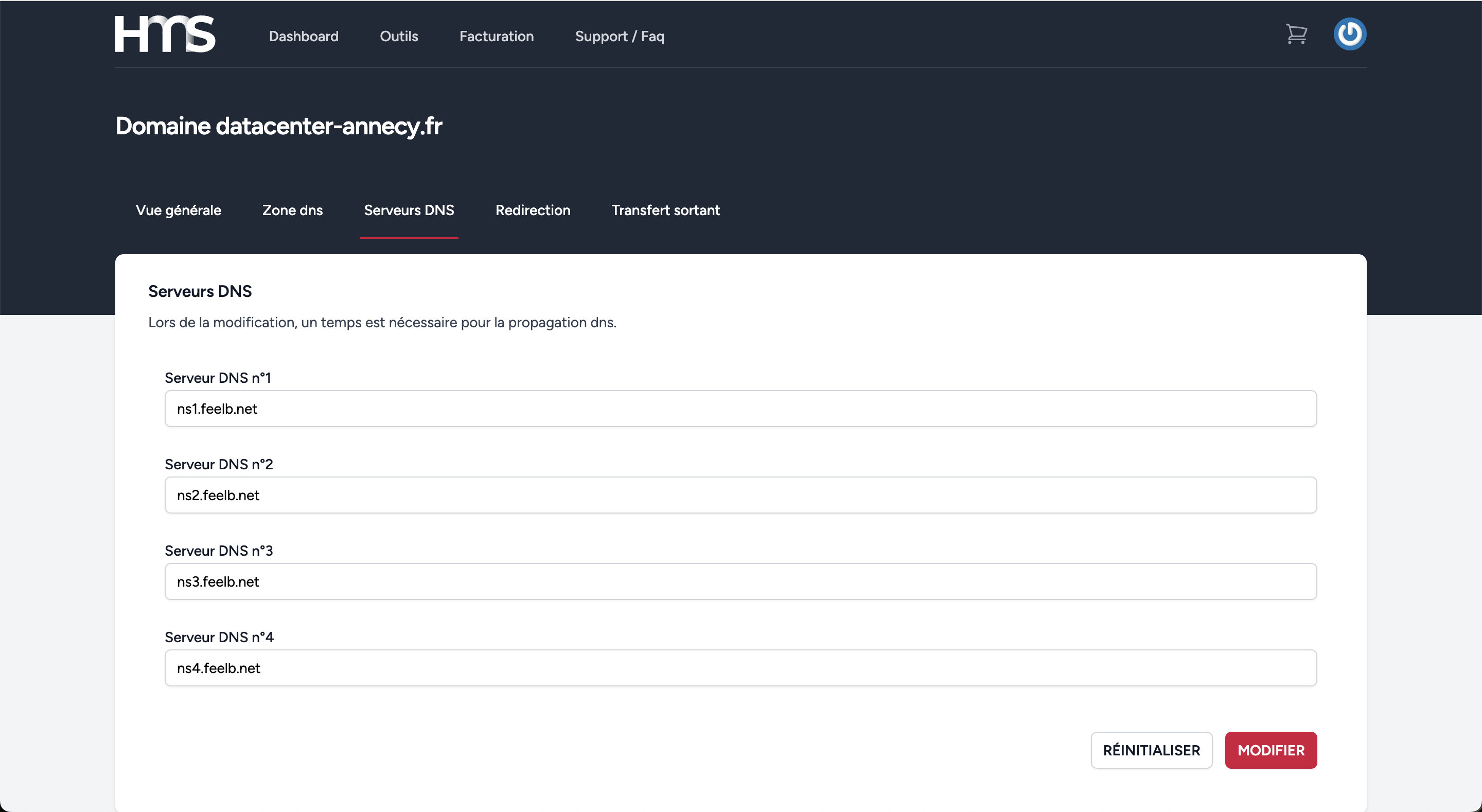
What is a DNS server?
The DNS server (Domain Name System) is a fundamental element of the Internet infrastructure. It converts domain names, which users enter in their browsers, into IP addresses that machines can understand. IP addresses are used to identify and locate servers that host websites or online services. This conversion is essential, because although humans prefer to use easy-to-remember domain names (like www.google.com), computers and network devices communicate with each other via IP addresses (like 142.250.74.206).
How does a DNS server work?
When a user enters a URL (like www.example.com) in their browser, the device sends a request to a DNS server to ask for the IP address associated with that domain name. The DNS server searches its database (or consults other DNS servers) to find this match, then returns the IP address. Once the IP address is received, the user's computer can establish a connection with the corresponding web server and display the requested page.
Example 1: Browsing a website
Suppose you type www.google.com in your browser:
- Step 1: Your computer sends a DNS request to a DNS server to ask for the IP address of www.google.com.
- Step 2: The DNS server responds with Google's IP address, for example 142.250.74.206.
- Step 3: Your browser uses this IP address to connect to Google's server and retrieve the site content, which is then displayed.
Example 2: Sending an email
When you send an email to example@domain.com, the mail server also uses DNS to find the mail server corresponding to the domain.com domain:
- Step 1: The mail server asks a DNS server which server handles emails for domain.com.
- Step 2: The DNS server returns the IP address of the appropriate mail server.
- Step 3: The message is then transmitted to the corresponding mail server, which delivers it to the recipient.
Example 3: Mobile applications and cloud services
Mobile applications and cloud services also use DNS servers to establish connections. For example, when you open a social networking application, like Instagram, your device must connect to Instagram's servers. It does this by sending a DNS request to obtain the IP address of Instagram's servers to display photos, videos, and messages.
Why are DNS servers essential?
DNS servers play a crucial role in making Internet browsing simple and smooth. Without DNS, it would be difficult for users to remember the exact IP addresses of every site or service they want to use. DNS automates and simplifies this process by allowing the use of easily memorable domain names.
Furthermore, DNS servers are distributed worldwide, ensuring high redundancy and reliability. If one DNS server fails to respond, another can take over, thus ensuring service continuity for users.
Modify your DNS servers
To modify your DNS servers, click the "Modify" button located at the top right of the page.
To use these filters, click the "Filters" button located above the list.
Reset to default DNS servers
To reset your default DNS servers, click the "Reset" button located at the top right of the page.