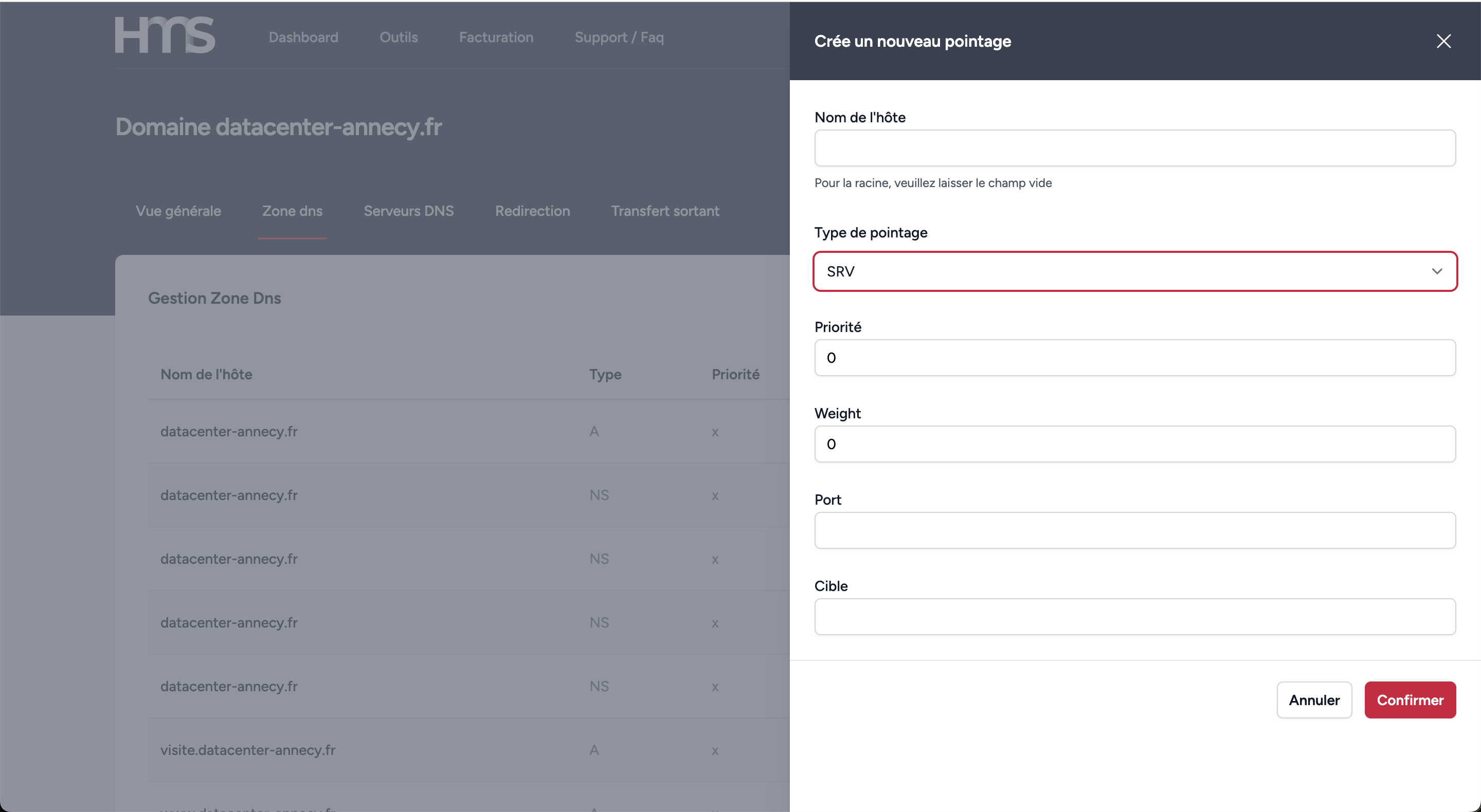
Configure an SRV type
What is an SRV record?
SRV records allow you to define the location of servers for specific services like VoIP, XMPP, or other protocols.
Best Practices
- Correctly define priority and weight for load balancing
- Verify that the service name format is correct (_service._protocol)
- Ensure that the specified port corresponds to the service
- Keep target server information up to date
Creating an SRV record
To create an SRV record, follow these steps:
- Click "Add" in the DNS records section
- Select the "SRV" type
- Fill in the following fields:
- Service: the service name (e.g., _sip)
- Protocol: the protocol used (e.g., _tcp)
- Priority: value from 0 to 65535 (smaller = priority)
- Weight: value from 0 to 65535 for load balancing
- Port: the service port
- Target: the server hostname